Structured-Light 3D Reconstruction

UCI CS 117 final project · Individual

From two-camera Gray-code scans to a colored 3D mesh of a koi sculpture

Stack

Python, NumPy, SciPy, OpenCV, Matplotlib, Jupyter, MeshLab

Goal and outcome

Goal: reconstruct a colored 3D model of a koi sculpture from the course's structured-light dataset. The sculpture sits on a turntable with a checkerboard and was scanned 5 times (“grabs”). For each grab, two cameras (C0 and C1) each captured 39 Gray-code pattern frames, so 78 frames per grab and 390 in total, at 1920×1200.

Pipeline: calibrate the cameras → decode the Gray codes to match pixels between the two cameras → triangulate a colored point cloud → clean and smooth each grab's mesh → align all five grabs into one frame → merge and Poisson-reconstruct in MeshLab.

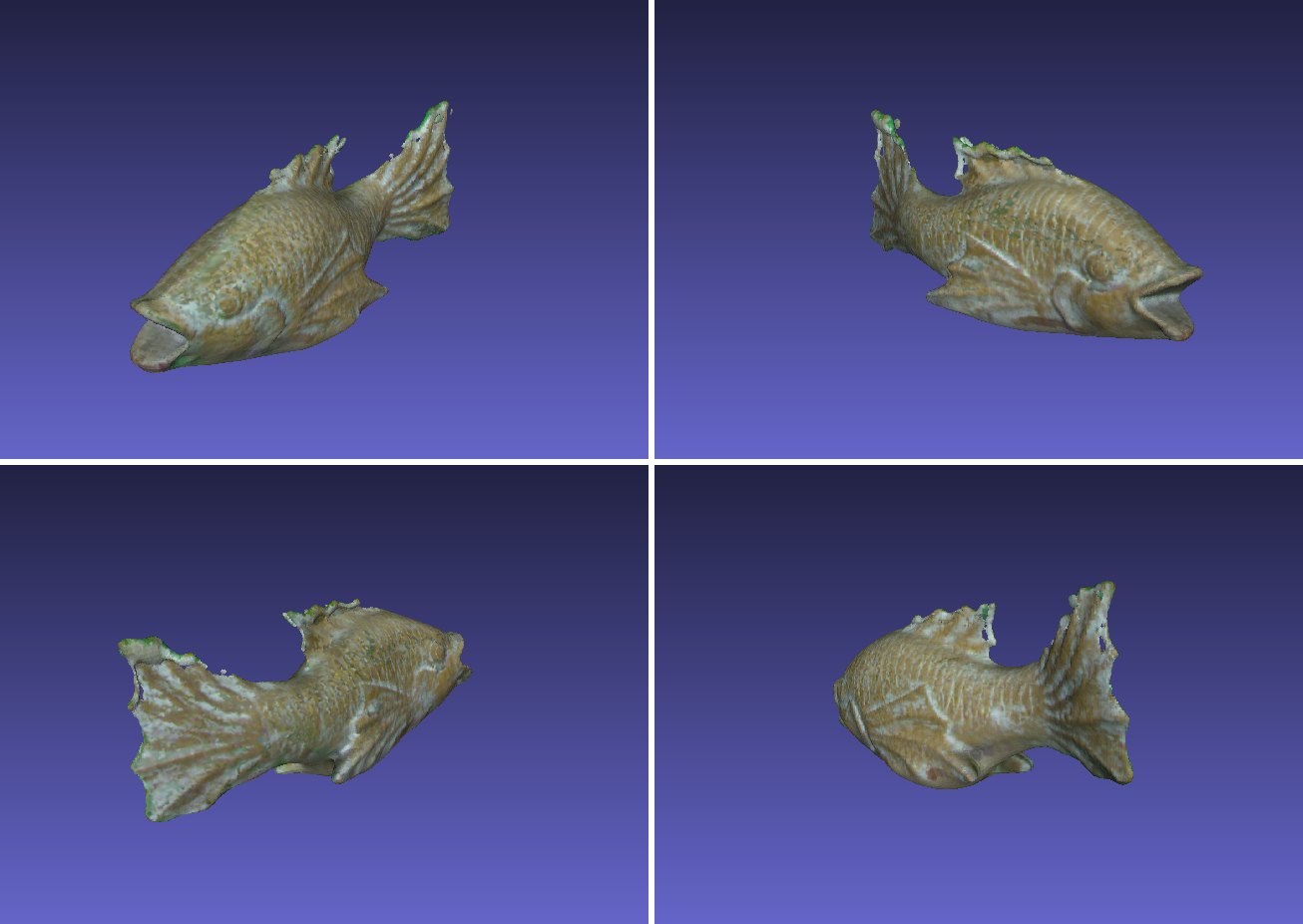
Outcome: one closed, colored mesh (53,883 vertices, 107,762 faces) that keeps fine surface detail such as the fish scales.
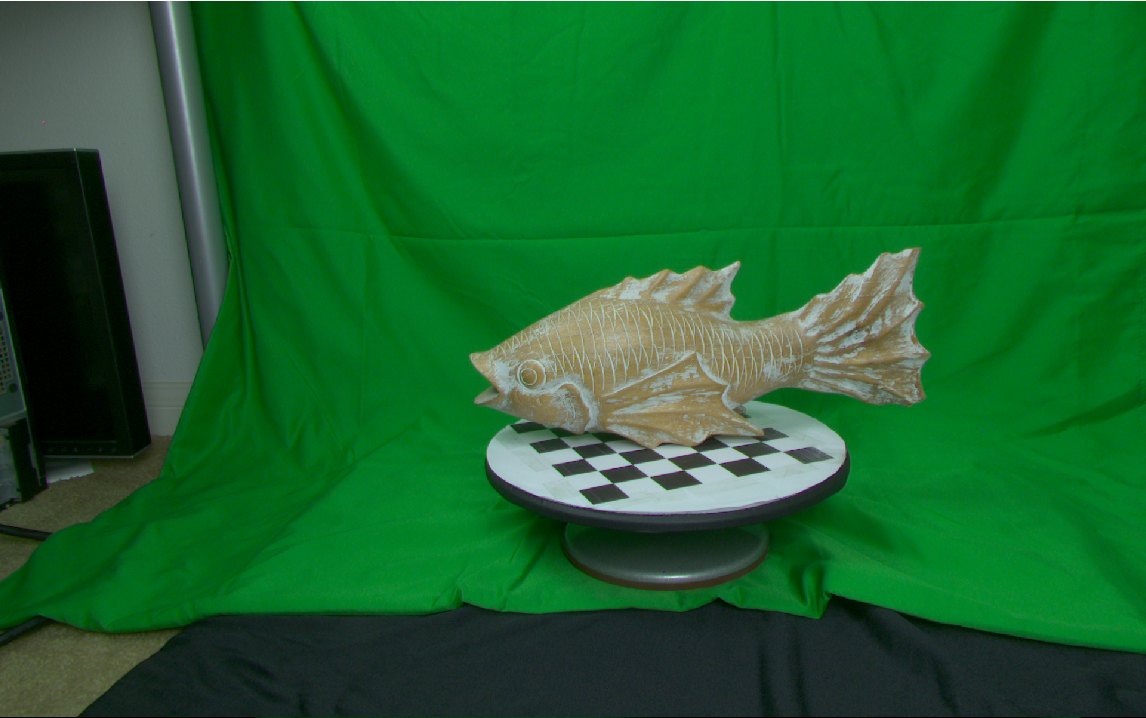
Koi sculpture on a checkerboard turntable in front of a green backdropOpen full-size image
Input: color image from one grab (course dataset).
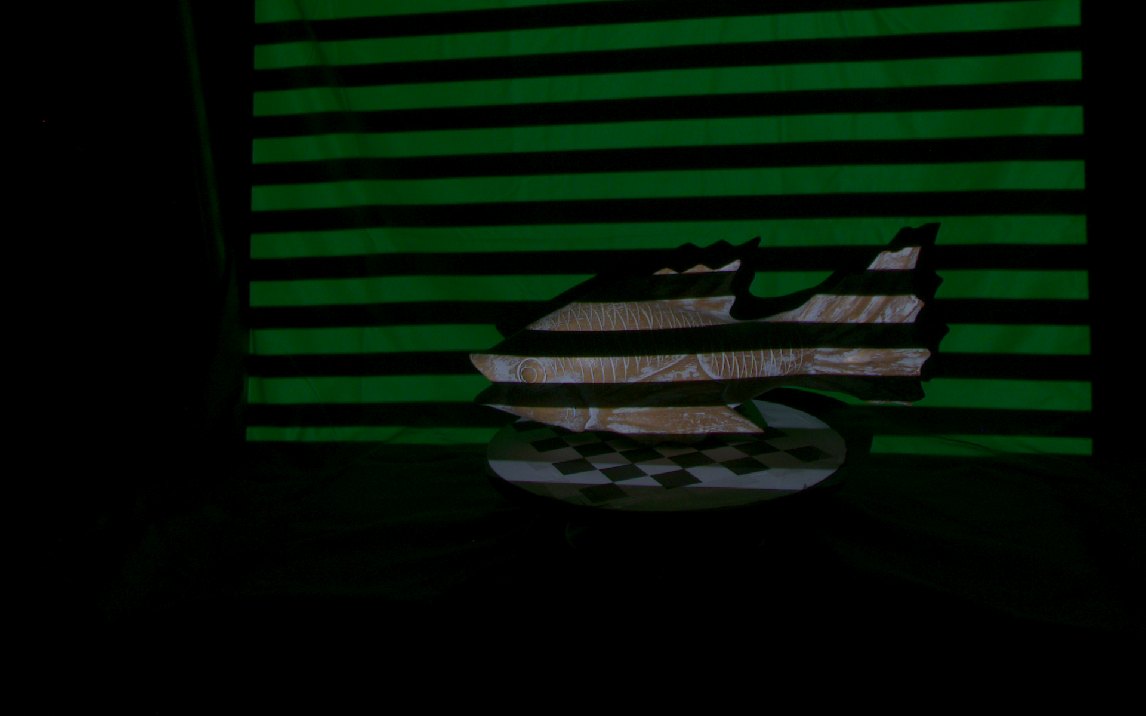
The same scene lit by a horizontal-stripe Gray-code patternOpen full-size image
Input: one of the camera's 39 Gray-code frames. Decoding these gives each pixel a code that can be matched between the two cameras.
The colored koi mesh in MeshLab, seen from four anglesOpen full-size image
Output: the final colored mesh in MeshLab from four angles (from the report). Shows that the five grabs were merged into one closed, colored surface.

My role

This split follows the appendix of my report. The scan data came with the course; the alignment clicks and each grab's crop box were set by hand.

Written by me

  • Foreground masking: reconstructUtils.compute_foreground_masks
  • Per-grab reconstruction: reconstructUtils.reconstruct_scan
  • Mesh smoothing: meshutils.smooth_mesh
  • Clicks to 3D points: selectpoints.clicks_to_pts3
  • The notebook that runs the pipeline (finalProject.ipynb), including SVD rigid alignment

Adapted from my earlier assignments

  • Extrinsic calibration: calibrateUtils.calibrate_extrinsics (Assignment 3)
  • Gray-code decoding: reconstructUtils.decode (Assignment 4)
  • Matching and triangulation: reconstructUtils.reconstruct (Assignment 4; new here: an RGB color per point)
  • Mesh cleanup: reconstructUtils.mesh_cleanup (Assignment 4; new here: a per-grab bounding-box crop)
  • Calibration plot: visutils.vis_calibrate_extrinsic (Assignment 3)

Provided by the instructor

  • camutils.py (pose solving and triangulation)
  • calibrate.py (intrinsic calibration)
  • meshutils.writeply
  • selectpoints.SelectPoints and select_k_points (from CS 116 Assignment 3)
  • Plotting helpers in visutils

Done in MeshLab

  • Merging the five aligned .ply files
  • Poisson surface reconstruction (Filter → Poisson)
  • Vertex Attribute Transfer to move point-cloud colors onto the Poisson mesh
  • A final touch-up of my alignment with MeshLab's Align tool

Technical problems

Problem 1: Background: the checkerboard turntable survives background subtraction

Problem
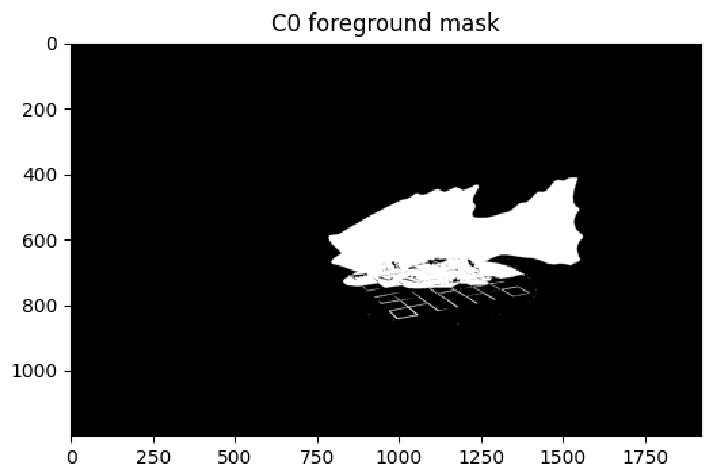
Foreground masking compares each color image with an empty-background image. In this dataset only grab 0 had a usable background (the other grabs' “background” images were copies of the object images), so every grab is masked against grab 0's background. The checkerboard turns with the fish, so in grabs 1–4 its squares no longer line up with that background and leak into the reconstruction.
What I did
  • Keep the color-difference mask (per-pixel sum of squared differences over RGB, threshold 0.065) and intersect it with the decode mask, so only pixels that both differ from the background and decode reliably are triangulated.
  • Then crop each grab with its own axis-aligned 3D bounding box. The fish faces a different direction in every grab, so each grab gets its own box.
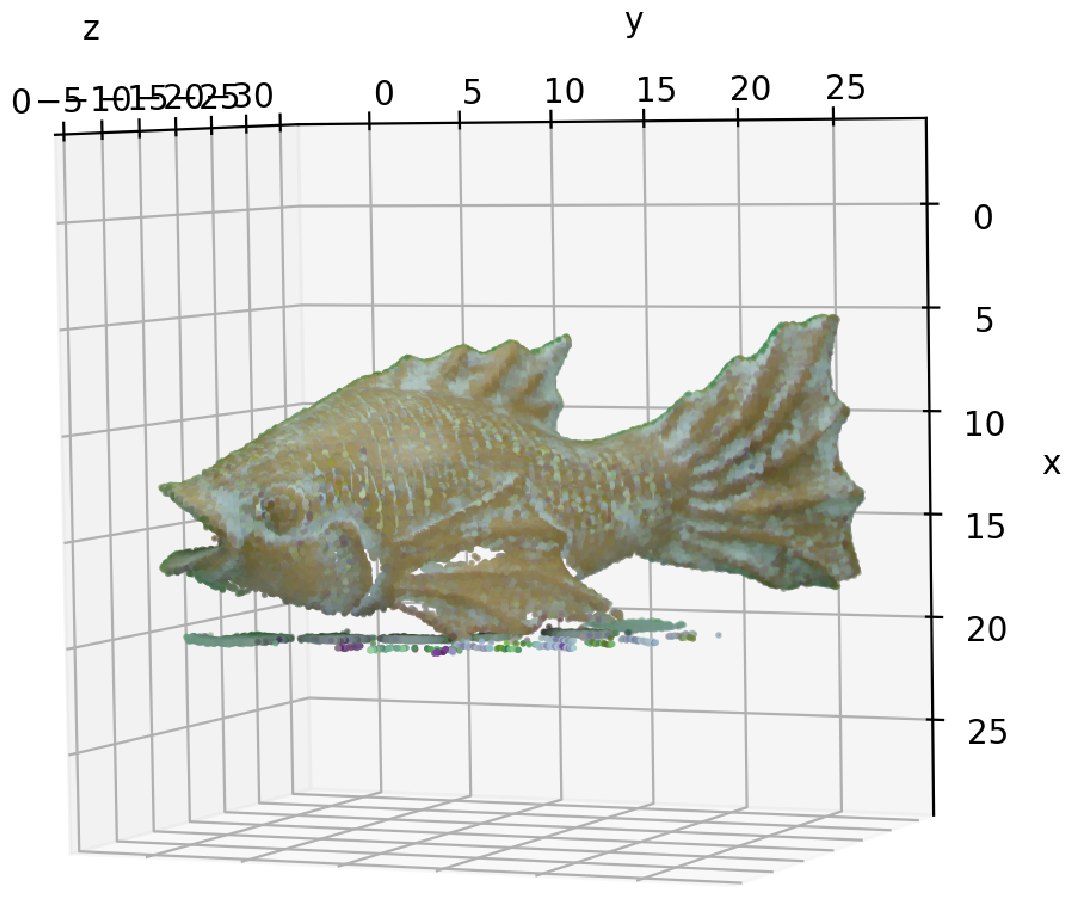
  • To tune the boxes, render each trial reconstruction as a 3D scatter plot colored with the recovered RGB values, which makes checkerboard residue easy to spot.
Why this approach
The dataset was fixed, so the background couldn't be recaptured, but the object's spatial extent is easy to bound. A per-grab box was a reliable, low-cost fix.
Black-and-white foreground mask from camera C0: the fish in white, with checkerboard outlines below itOpen full-size image
Foreground mask from camera C0. The fish separates cleanly, but checkerboard edges remain below it, which is why the bounding-box crop was still needed.
RGB-colored fish point cloud with a band of checkerboard points beneath itOpen full-size image
Before: RGB-colored points, with a band of checkerboard points under the fish.
Fish mesh after cleanup with no checkerboard residueOpen full-size image
After: The checkerboard residue is gone and only the fish surface remains.

Problem 2: Mesh cleanup: stretched triangles and a rough surface

Problem
Delaunay triangulation of the 2D points connects points across depth discontinuities, producing long, stretched “webbing” faces, and the reconstructed surface is rough.
What I did
  • Drop any triangle with a 3D edge longer than trithresh (0.6), then remove vertices no triangle uses and remap the triangle indices (carried over from my Assignment 4).
  • Then smooth: one pass over the triangle list builds each vertex's neighbor set, and each iteration replaces every vertex with the mean of its neighbors' positions, repeated 3 times.
Why this approach
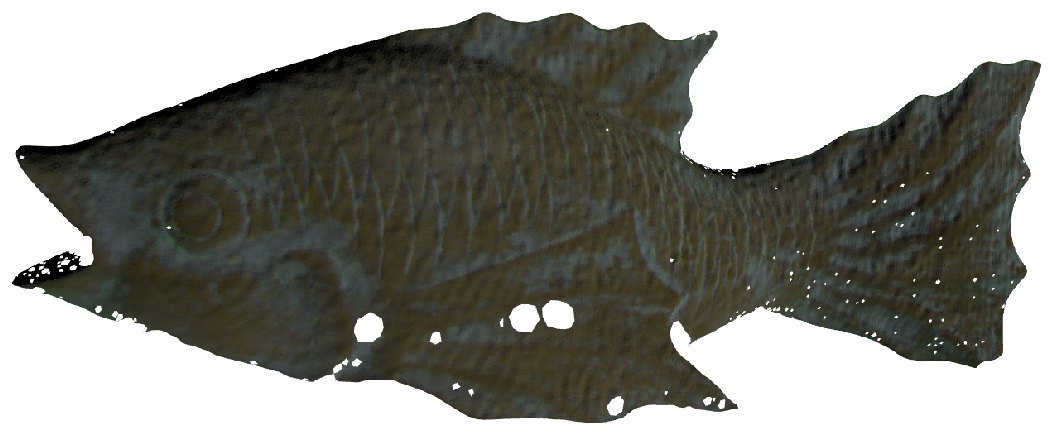
Faces that span a depth jump have unusually long edges, so an edge-length threshold targets them directly. Neighbor averaging is the method from lecture; 3 iterations removed the jagged texture while the scales stayed visible in the final model.
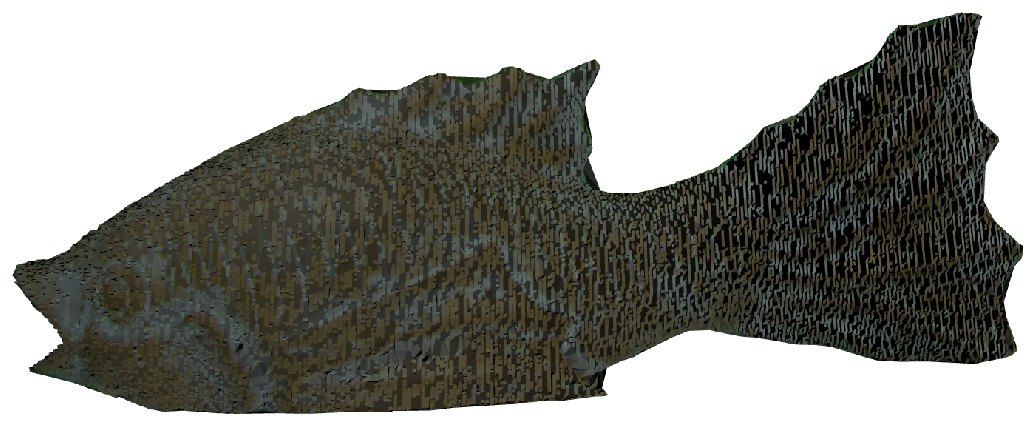
Fish mesh before smoothing, with a jagged texture on the tailOpen full-size image
Before: A jagged texture across the surface, worst on the tail.
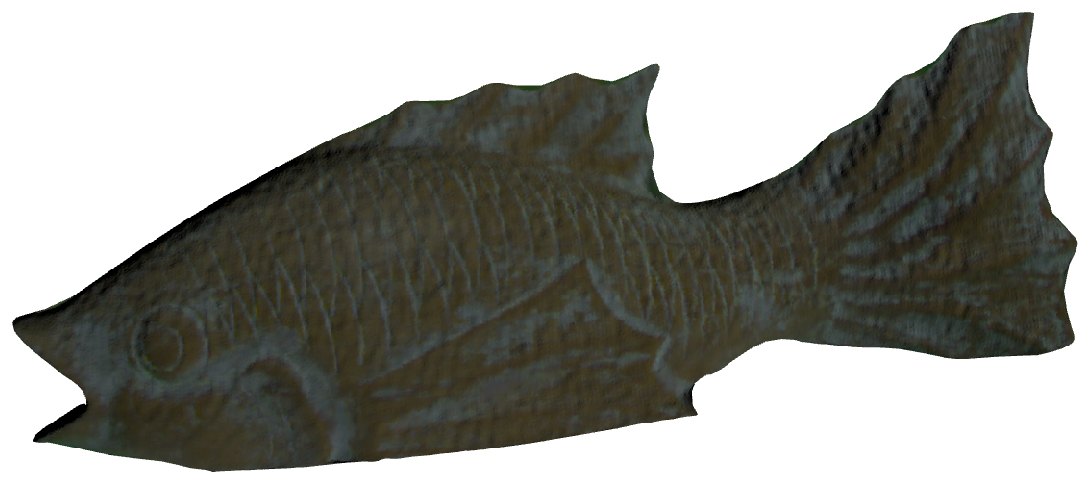
Fish mesh after 3 smoothing iterations: smoother, with detail keptOpen full-size image
After: Three iterations of neighbor averaging: the jagged texture is gone; fin and scale shapes remain.

Problem 3: Multi-view alignment: hand-picked points without compounding error

Problem
Each grab is reconstructed in its own camera frame, so all five must be brought into one frame before merging. Correspondences come from hand-clicking matching features on 1920×1200 images, and a small click error becomes a visible 3D offset.
What I did
  • Use grab 0 as the reference and align every other grab directly to it.
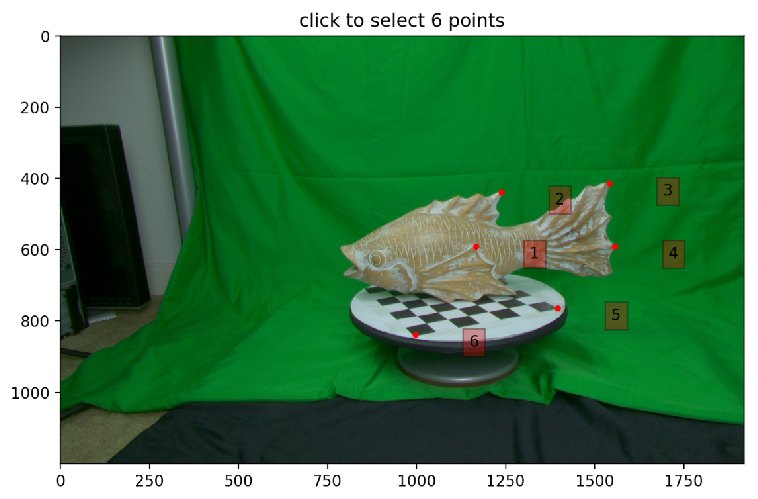
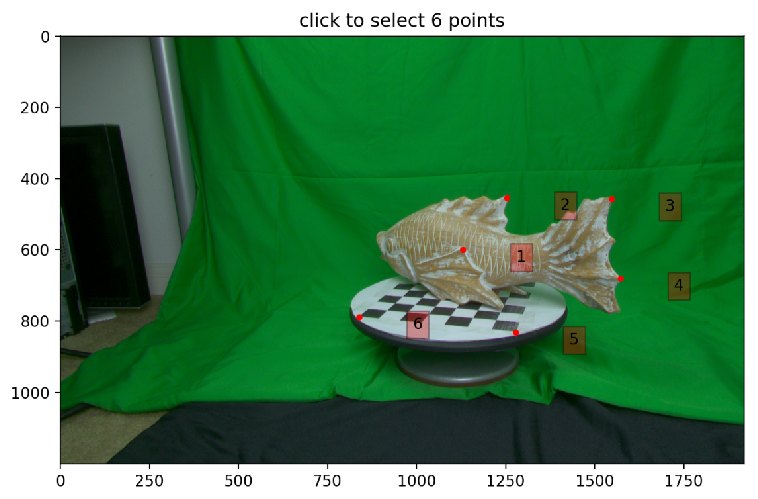
  • For each pair, click 6 matching features (eye, fin tips, pattern corners) and map each click to its nearest reconstructed point to get 3D correspondences.
  • Solve the rigid transform (R, t) in closed form with SVD, then apply it to the whole point cloud.
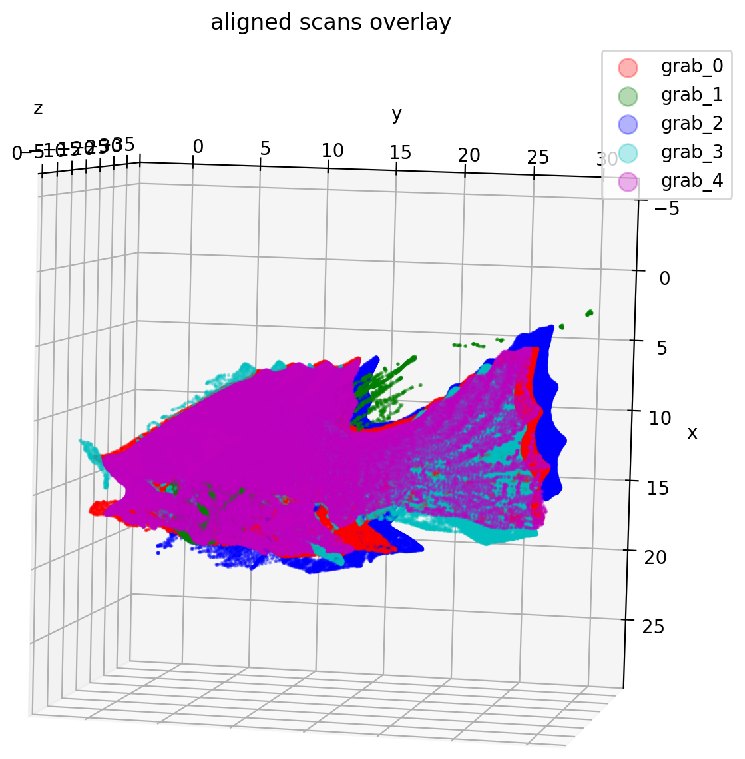
  • Check by overlaying all five aligned clouds in one 3D scatter plot; finish with a touch-up in MeshLab's Align tool.
Why this approach
I considered chaining neighbors (grab 2 → grab 1 → grab 0), which gives more overlap per pair and easier clicking, but each link would carry the previous link's error and amplify click error across grabs. Aligning everything to one reference keeps every grab a single transform away from it.
Six numbered points marked on one grab's imageOpen full-size image
Six corresponding features clicked on a pair of grabs; the numbers keep the click order consistent.
The matching six numbered points on the other grab's imageOpen full-size image
The same features in the other grab.
3D scatter plot of the five grabs' point clouds overlaid, one color eachOpen full-size image
All five aligned clouds overlaid, one color per grab. The colors coincide on the fish body, showing the alignment works; the stray green points belong to grab 1, which saw only a small part of the fish and was the hardest to align.

Results and verification

Input frames (5 × 2 cameras × 39)
390
Vertices in the final mesh
53,883
Faces in the final mesh
107,762
  • The pipeline runs end to end, from raw scan folders to one colored model, and the koi's color and scale detail are preserved.
  • Parameters: decode_thresh = 0.015, color_thresh = 0.065, trithresh = 0.6, 3 smoothing iterations, 6 correspondences per pair; only the bounding box differs per grab.
  • How it was verified: every stage was checked visually: camera-pose plots for calibration, mask images for segmentation, RGB-colored scatter plots for cropping, the five-cloud overlay for alignment, and finally the mesh against a photo of the real sculpture.

Limitations

  • Alignment depends on hand-picked points: at 1920×1200, a slightly off click causes a visible 3D offset, and I still needed MeshLab's Align tool for the final adjustment.
  • Grab 1 saw only a small part of the fish and was hard to align; the fins and tail are too thin for structured light, so the mesh is more likely to have holes there.
  • Every grab uses grab 0's background image, which limits the foreground mask.
  • The model shows a slight green color reflection.
  • MeshLab's Poisson filter crashed repeatedly on my Mac until I limited it to a single thread.
  • I also tried the pipeline on another object in the dataset (“david”) but couldn't align it well, so I don't have a good model of it.
  • Next steps if I continued: ICP refinement after SVD, a clean background image per grab, more scan angles, and automatic alignment instead of hand-picked points.

Evidence